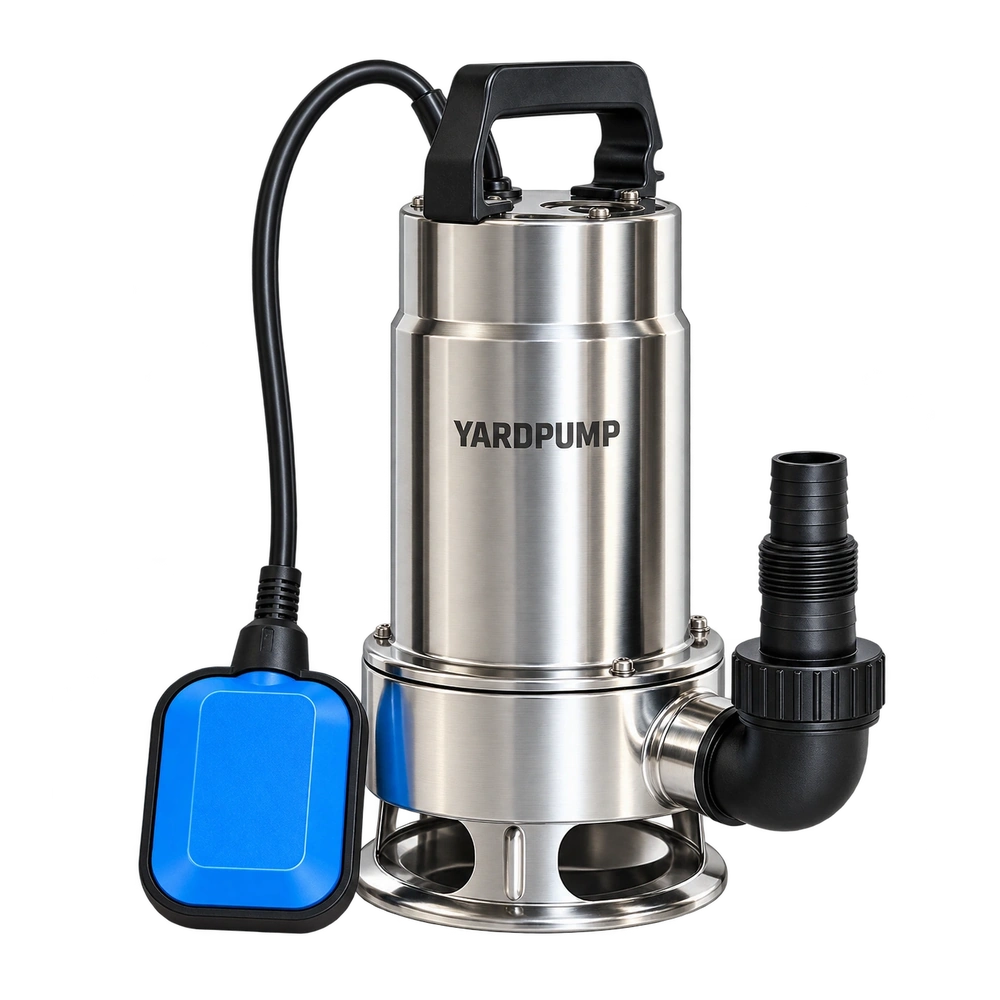
A carton proof has been rearranged to make more room for the artwork. The text still says the pump starts as the water rises. Beside the actual pump, though, the cable anchor is on the opposite side and the arrow follows the wrong path. A mirrored image can leave the sentence technically correct while giving the user the wrong installation direction. Review the artwork, reference features and real movement together.
Agree on a view that can be repeated
Use a fixed feature such as the discharge outlet, cable entry, handle opening or a distinctive housing detail to define the view. For example, identify the viewpoint from the outlet side, then mark the features that must correspond to the sample. “Float on the left” is incomplete: looking from the other side changes left and right. A mirror is not simply another viewpoint. It reverses the relationship between features and movement. If the artwork uses a genuinely different view, redraw the position and arrows for that view rather than borrowing the previous arrow layer.
A nearly symmetrical housing may make an error hard to see. Use an asymmetric feature such as the cable exit, a clip, a fitting or readable lettering. Keep approved front and side views of the physical unit for comparison. A feature hidden in one view needs a clear detail or explanation. Do not rely on the reader to reconstruct a reversal from the silhouette.
Check the rising and falling states as a sequence
Use the verified pump and float version. Establish position and permitted travel with the equipment isolated, then have qualified staff observe rising water, switch action, falling water and reset in the approved controlled wet check. A proof should show the states the user needs without confusing cable movement with float travel. Do not print unverified switching levels. If one carton covers several control variants, mark which illustrations apply and distinguish the version without a float rather than implying identical behaviour.
In a hypothetical example, from the specified view the cable anchor sits behind and to the right of the discharge. To move an arrow away from the text, the artwork flips the whole pump and leaves the old arrow. “Starts as the water rises” still reads correctly, but the drawing now puts the anchor in the wrong place. Return to the approved view and rebuild the layout around it. Reversing the arrow alone leaves the anchor wrong.
Approve the printed set, not just the editable art
Identify the pump revision, language, artwork number, carton panel and final file in the sign-off. Check at actual size or on a production proof. Confirm that arrows and reference points remain legible after trimming, coating or scaling. Read the manual, carton and installation card side by side so a restriction in one appears in the corresponding diagram or instruction. Do not use an unapproved illustration to show repair or wiring. Hold an artwork revision if text and diagram conflict, and release only the corrected proof. The buyer is approving a set of instructions a customer can understand, not a clean-looking picture on its own.
When the carton carries a code for the instructions or includes a supplement, confirm it reaches the same revision. A corrected box paired with the old installation card can recreate the conflict. Ask someone who did not prepare the artwork to explain the intended orientation and switching sequence using only the final set. That often reveals a missing visual reference the designer no longer notices.
Frequently asked questions
Can we flip a pump image to improve the layout?
Decorative artwork and installation diagrams have different jobs. Recheck viewpoint, mounting and movement after any change to an instructional image.
Does the diagram need a separate check if the text has passed?
Yes. Check the drawing and then check both together. A mirror error can be visible only when the two are compared.
Can one float diagram cover every pump in a shared carton?
Only if the approved control and installation really match. Otherwise identify the versions clearly.